> ## Documentation Index
> Fetch the complete documentation index at: https://docs-dev-feat-update-styling-docs-for-universal-components.mintlify.site/llms.txt
> Use this file to discover all available pages before exploring further.

> Learn how to configure your JWT Connection to sign, verify or decode JSON Web Tokens.

# JWT Vault Connection

## Configure your JWT Vault connection

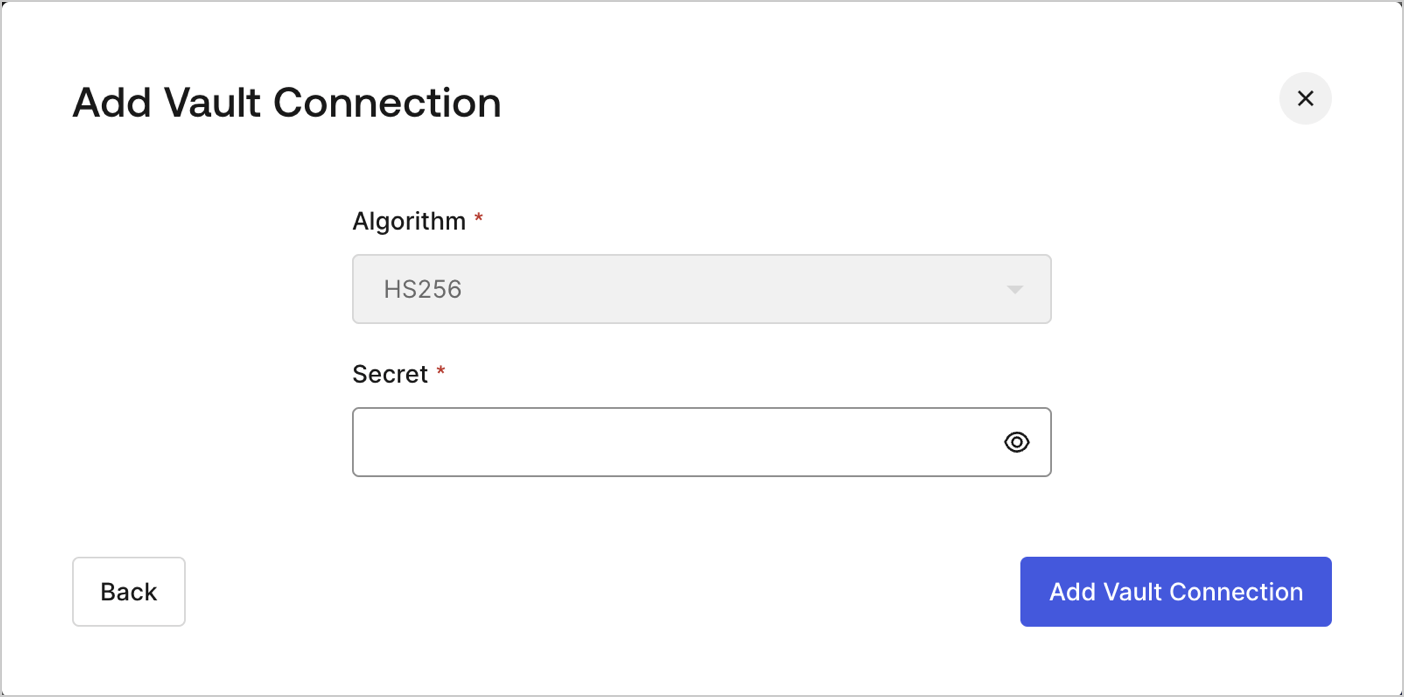
To configure an JWT Vault Connection for your Flows JWT Actions to sign, decode, and verify JSON Web Tokens, you need to set the required parameters.
<Frame>
  <img src="https://mintcdn.com/docs-dev-feat-update-styling-docs-for-universal-components/JsT_remZk7aD3_z9/docs/images/customize/forms/vaults/jwt-vault-connection.png?fit=max&auto=format&n=JsT_remZk7aD3_z9&q=85&s=19766b74015c0285113b0e5ec2e750f7" alt="Dashboard > Actions > Forms > Vault > JWT" data-og-width="1404" width="1404" data-og-height="697" height="697" data-path="docs/images/customize/forms/vaults/jwt-vault-connection.png" data-optimize="true" data-opv="3" srcset="https://mintcdn.com/docs-dev-feat-update-styling-docs-for-universal-components/JsT_remZk7aD3_z9/docs/images/customize/forms/vaults/jwt-vault-connection.png?w=280&fit=max&auto=format&n=JsT_remZk7aD3_z9&q=85&s=e2ca82a4444250adf2960e0de02653bf 280w, https://mintcdn.com/docs-dev-feat-update-styling-docs-for-universal-components/JsT_remZk7aD3_z9/docs/images/customize/forms/vaults/jwt-vault-connection.png?w=560&fit=max&auto=format&n=JsT_remZk7aD3_z9&q=85&s=73e7d74629ac113d7e0dfec1947e5d27 560w, https://mintcdn.com/docs-dev-feat-update-styling-docs-for-universal-components/JsT_remZk7aD3_z9/docs/images/customize/forms/vaults/jwt-vault-connection.png?w=840&fit=max&auto=format&n=JsT_remZk7aD3_z9&q=85&s=558c690d6f063e21da2c9740a047d97d 840w, https://mintcdn.com/docs-dev-feat-update-styling-docs-for-universal-components/JsT_remZk7aD3_z9/docs/images/customize/forms/vaults/jwt-vault-connection.png?w=1100&fit=max&auto=format&n=JsT_remZk7aD3_z9&q=85&s=d013f893db7b0df06ba2a4d67ac64b2d 1100w, https://mintcdn.com/docs-dev-feat-update-styling-docs-for-universal-components/JsT_remZk7aD3_z9/docs/images/customize/forms/vaults/jwt-vault-connection.png?w=1650&fit=max&auto=format&n=JsT_remZk7aD3_z9&q=85&s=9202290e71a5c630cfcad3fd461ba3a3 1650w, https://mintcdn.com/docs-dev-feat-update-styling-docs-for-universal-components/JsT_remZk7aD3_z9/docs/images/customize/forms/vaults/jwt-vault-connection.png?w=2500&fit=max&auto=format&n=JsT_remZk7aD3_z9&q=85&s=6e55a16d474e20bb14f4d215119af195 2500w" />
</Frame>

## Input settings

| Parameter | Description                                                 |
| --------- | ----------------------------------------------------------- |
| Secret    | Secret to be used in the HS256 algorithm to encode the JWT. |
